
World Book Day Props: Building with Claude
Published in March 2026
For World Book Day, my daughters needed to dress up as brave characters from their favorite books.
One chose Paddington, and the other went with Skye from Paw Patrol.
My wife handled the costumes, while I handled the props.
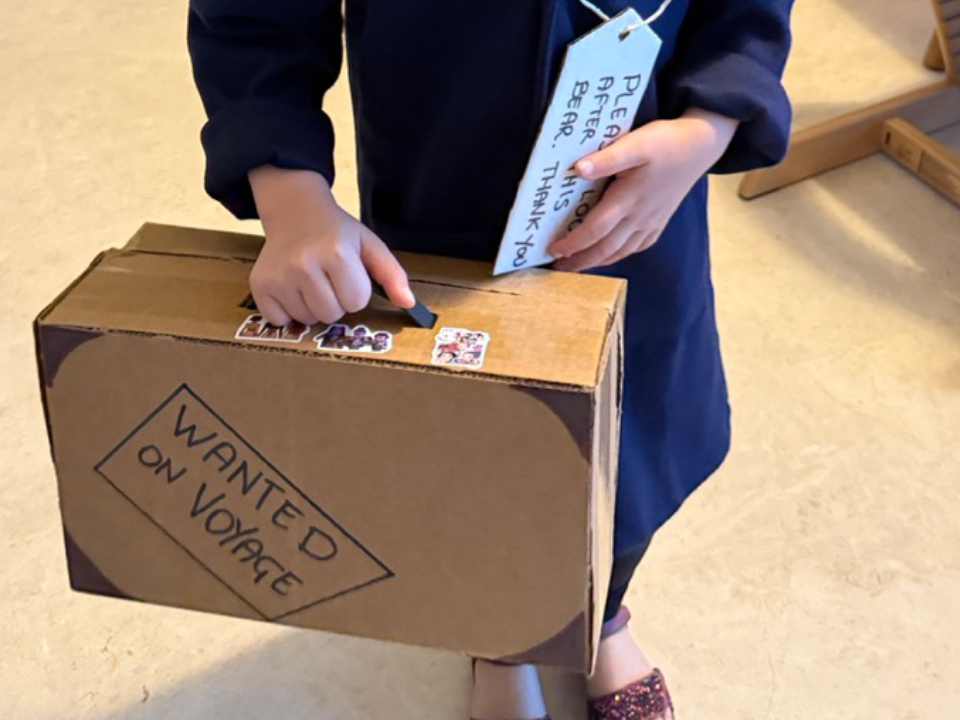
Paddington needed a suitcase, and Skye needed a jetpack with wings that could fold out, just like Buzz Lightyear.
After about twenty minutes of prompting, I had two design tools ready, complete with sliders, live previews, and downloadable PDF templates for cutting.
Usually, I just grab some cardboard and start cutting, making up the sizes as I go.
But this time, I had some real design questions.
How big should the suitcase be?
If Paddington’s marmalade jar is 10cm in diameter, how deep does the suitcase need to be to fit it?
For the jetpack wings, where should the pivot point go?
How long can the wings be? Would they hit the pack when moving from down to horizontal?
So, I decided to make interactive models to figure out these details before cutting any cardboard.
I asked Claude to create a separate HTML page for each prop.
These were parametric design tools that let me adjust dimensions with sliders and see the results instantly.
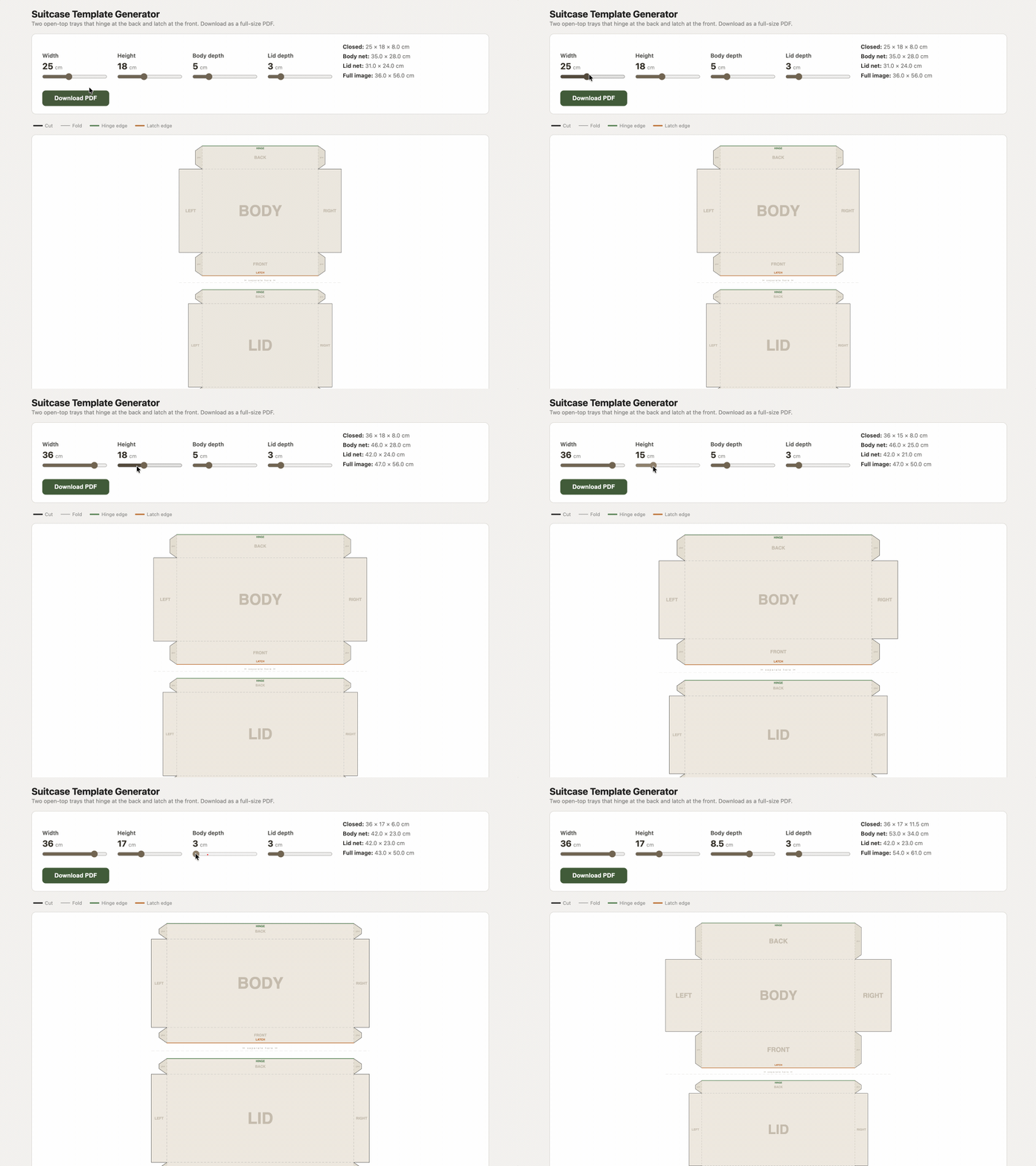
The suitcase generator (source) is a tool with sliders for width, height, body depth, and lid depth.
It creates two open-top trays that hinge at the back and latch at the front.
You can download a full-size PDF template with clear guides: solid lines for cuts, dashed lines for folds, green edges for the hinge, and orange edges for the latch.
Just cut out both pieces, fold the walls, glue the corners, and tape the body and lid together at the back.
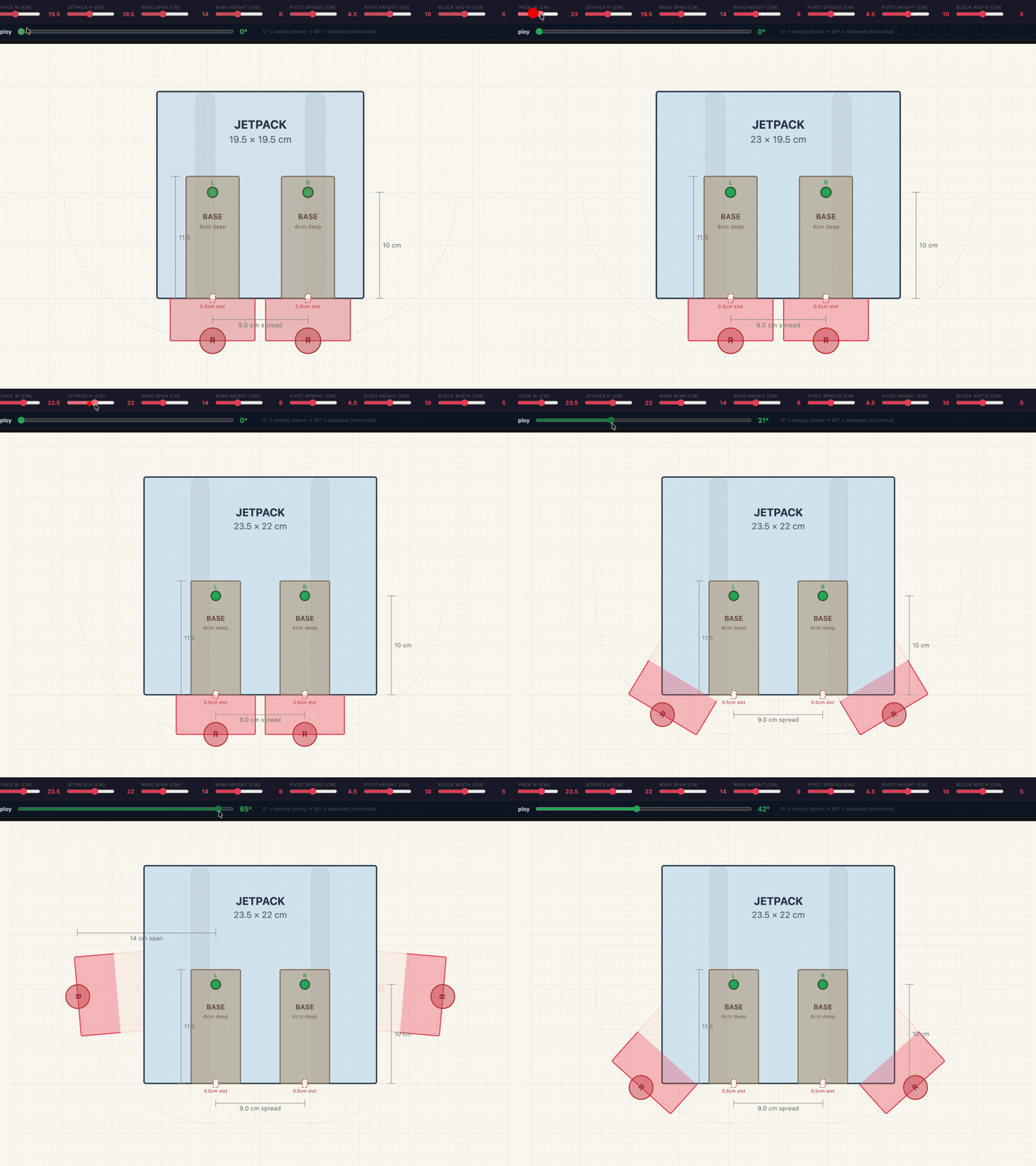
The jetpack prototype (source) lets you change the pack size, wing span, and height, pivot point, and use a slider to move the wings from down to horizontal.
It even shows how much of the wing is hidden when folded!
The project includes more than just the HTML tool: Claude also made OpenSCAD and STL files for 3D-printable parts, a Python script to compare layouts, and PNG images of different designs.
Claude’s OpenSCAD pivot parts looked great, but they would have taken about five hours to print, and I didn’t have time to test the fit.
So I used a nut-and-bolt model from Printables with a 4mm thread pitch made for FDM printers.
I printed it and used two nuts on each wing to lock the angle.
One thing didn’t go as planned: Claude first tried to split the full-size PDF across several A4 sheets for home printing, but the calculation was off because it didn’t account for printer margins.
In the end I decided to use Docuslice for that.
Each tool only took about twenty minutes of prompting.
If I had made these from scratch—working out the box shapes, SVG graphics, PDF exports, wing rotation math, collision checks, and the user interface—it would have taken me a week of evenings.
Making these custom apps with Claude is actually a lot of fun.
At this point, I think the only limit is my imagination.
Enjoyed this post?
I write about Kubernetes, TypeScript, software design, and AI. You can get new posts delivered to your inbox or via RSS.